Say hello to Abe, your helpful AI companion inside Microsoft Teams.
Abe keeps you on track by reminding you about important messages, converting time zones instantly for everyone in a chat, and working as a focused Copilot agent for time-related tasks.
Instead of losing messages, missing follow-ups, or doing manual time calculations, Abe quietly helps you remember, review, and take action, right when it matters.
Abe focuses on a few everyday challenges Teams users face, and does them really well.
🧠 Never forget an important message
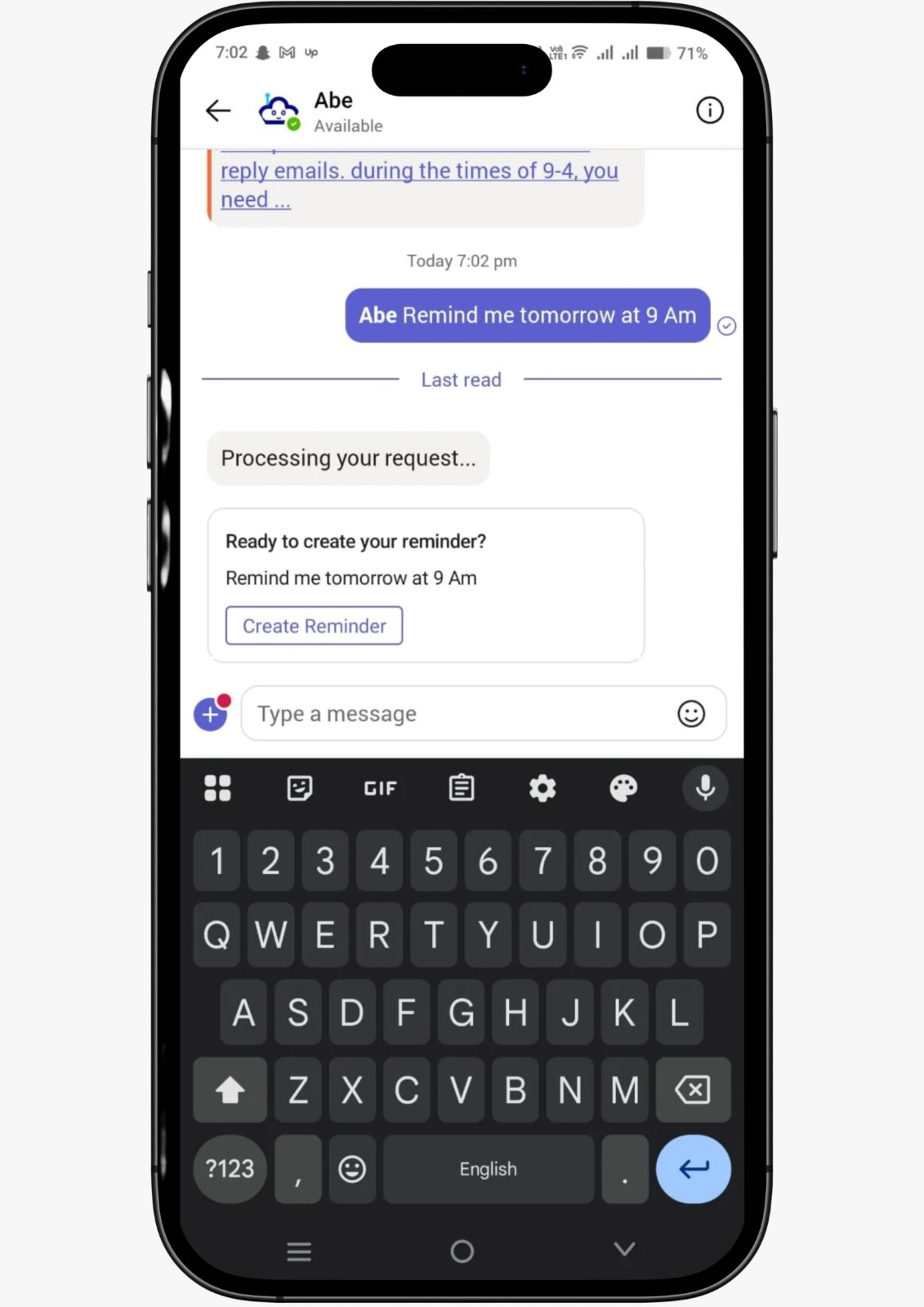
Abe reminds you about specific Teams messages at the exact time you choose, so nothing important gets lost in busy chats.
⏰ Make time zones effortless
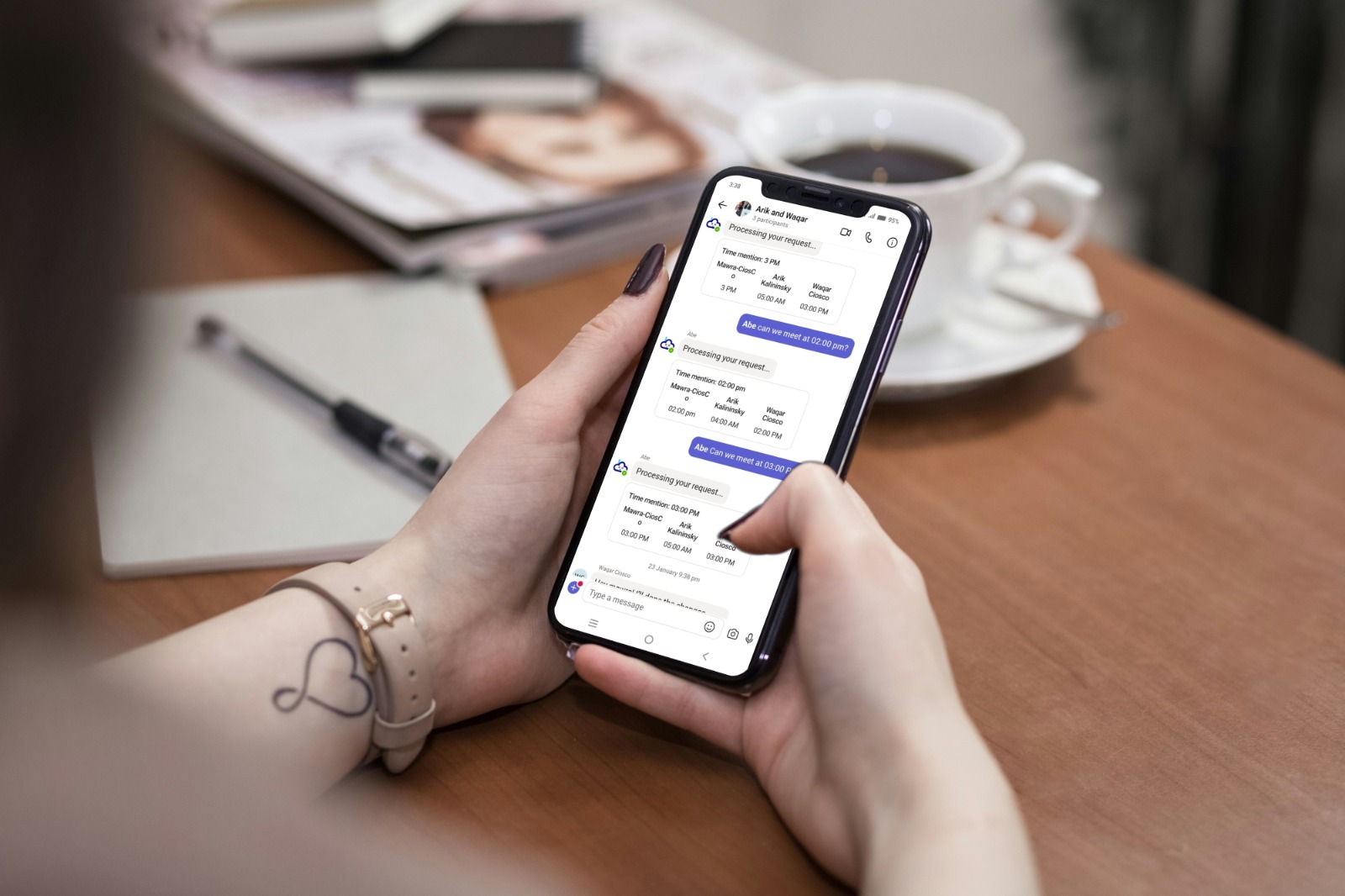
Mention a time in a Teams conversation, and Abe instantly converts it for everyone in the chat based on their local time.
🤖 Get focused help through Copilot
Abe works alongside Microsoft Copilot, using its power for time conversion and message-based reminders, faster and more precisely.
More capabilities are coming, but Abe’s mission stays simple:
Help you manage time and conversations inside Teams, without extra tools or dashboards.
Abe lets you set reminders on specific messages, so you can come back to them later, whether it’s a password, a decision, or an action item.
You can create a reminder in two easy ways:
1️⃣ Mention Abe in a chat
Example:
@Abe remind me Thursday at 3:00 PM
2️⃣ Use Microsoft Teams message actions
Hover over a message, select More actions (•••), then choose:
“Remind me about this” or “Remind me with Abe” (when Abe is enabled)
This option keeps the reminder private and doesn’t add anything to the conversation.
What Happens Next
At the scheduled time:
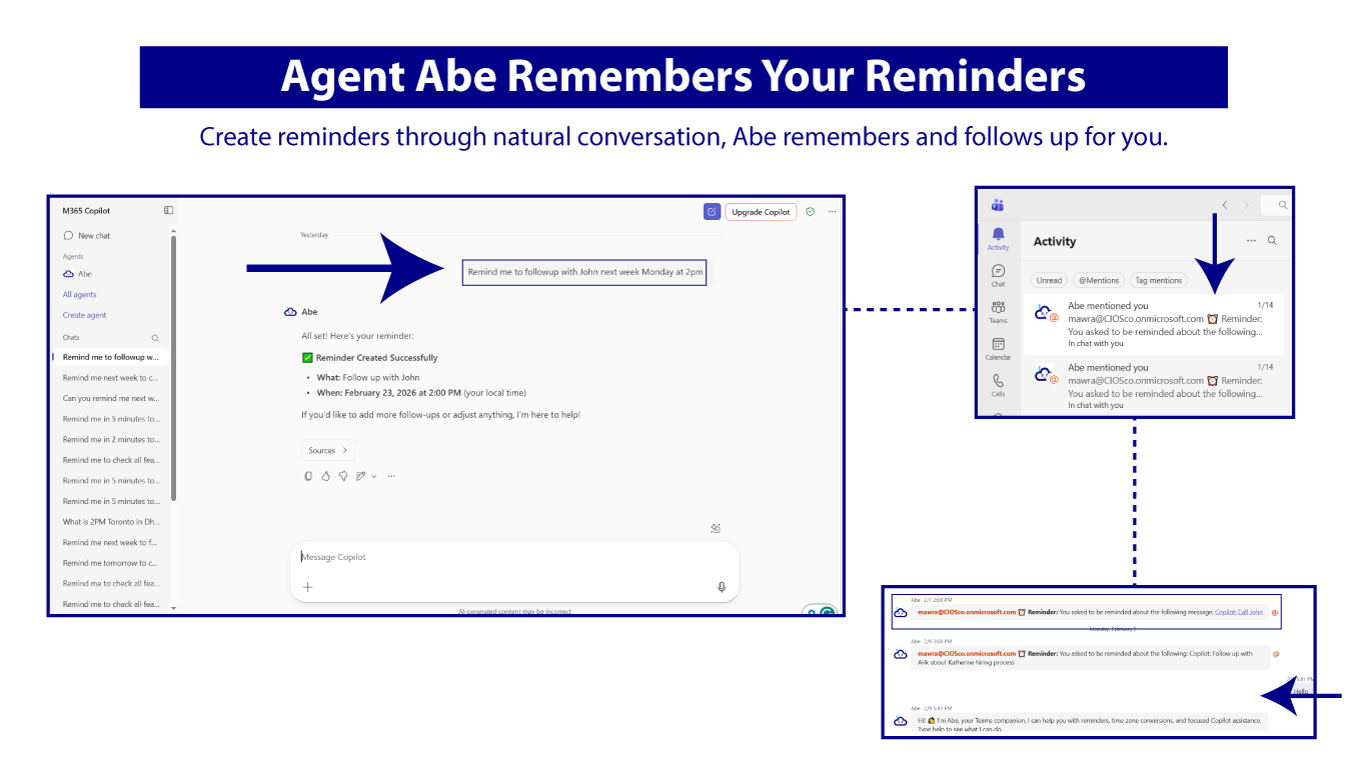
– Abe sends you a notification in the Microsoft Teams Activity area
– You click the notification
– Teams opens the exact message you were reminded about.
No searching. No scrolling. Just the right message at the right time.
This makes Abe especially helpful for:
– Reviewing sensitive information
– Following up later
– Revisiting temporary notes
– Preparing to delete a message after reviewing it.
Example:
If you share sensitive information today, Abe can remind you next week, so you can review the message and delete it manually when you’re ready.
💡 Abe doesn’t just notify you, it brings you back to the exact message you were remind about.
Working across time zones doesn’t have to be confusing.
In any Teams chat with people in different locations, simply mention a time.
Example:
@Abe 2 PM
Abe automatically detects:
– Your local time
– The local time of everyone else in the conversation
Then Abe replies with a clear conversion for each participant, so everyone knows exactly what time it is for them.
This works in:
– One-on-one chats
– Group chats
– Channels
– Global teams across many regions
No country limits. No setup.
Abe converts time for everyone in the chat automatically.
Abe also works as a Copilot agent, so you can use natural language to get help with time and reminders.
Unlike General Copilot interactions, Abe is more focused on reminders and time-based workflows; it gives faster and more precise answers than general-purpose AI assistants.
You can ask Copilot things like:
– “I have a meeting with Europe next Tuesday at 10 AM, what time is that for them?”
– “Convert 9 AM EST for my team.”
– “Remind me to review the message I sent this morning.”
💡 Copilot can do many things, But Abe helps it do time-related tasks better and faster.
1. Install Abe from the Microsoft Teams App Store
2. Add Abe to a chat or channel
3. Try typing:
– @Abe remind me tomorrow at 10 AM
4. Or ask a time conversion question
5. Check your Activity feed when reminders trigger
6. Click the notification to return to the message
7. Use Abe’s Copilot agent for AI time assistance
💡 For advanced usage details and best practices, see the Abe User Guide.
Add Abe to Microsoft Teams and make reminders, messages, and time zones effortless.